Microsoft Copilot
Microsoft Copilot is genuinely useful — and genuinely uneven. The difference between the professionals getting real value out of it and the ones who tried it twice and gave up is mostly a matter of knowing what it's good at, how to prompt it well, and where the editorial discipline still has to come from a human.
Course overview.
This one-day hands-on course works through Copilot across the Microsoft 365 surface area — Word, Excel, PowerPoint, Outlook, Teams, OneNote — with practical exercises drawn from real workplace tasks. We cover the genuinely high-leverage use cases, the ones that look impressive but rarely save time, and the prompts and patterns that consistently produce useful output.
Delegates join us from Cardiff, Newport, Swansea and across South Wales. Choose a scheduled classroom date at our Bridgend training venue, join live online, or book the Microsoft Copilot course in-house at your own premises anywhere in Wales or the UK.
Who it's for.
Anyone using Microsoft 365 as part of their daily work who's curious about whether Copilot is worth the licence cost — and how to make sure the answer is yes. Particularly useful for knowledge workers in legal, finance, consulting, public sector and any role with high analytical or written-content output.
What you'll learn.
The Copilot operating model
Where Copilot fits in your workflow — what it's good at, what it's poor at, where it confidently makes things up, and the prompt patterns that consistently produce useful output. The mental model that distinguishes professionals who get value from Copilot from those who don't.
Copilot across the suite
Hands-on exercises in each major app: drafting and editing in Word, analysis and chart-building in Excel, slide generation in PowerPoint, summarising and triage in Outlook, meeting recap and follow-up in Teams. Worked from real-world task examples, not toy demos.
Editorial discipline and the human in the loop
Copilot's outputs are starting points, not finished work. We close with the editorial checks, fact-verification habits and document-review disciplines that turn a Copilot draft into something you'd actually send.
What you'll leave with.
By the end of the day you'll be able to:
- Write prompts using goal, context, source and expectations that get usable answers first time more often
- Draft, rewrite and summarise documents with Copilot in Word
- Analyse data and suggest charts with Copilot in Excel, and turn a document into a first-draft PowerPoint
- Triage email in Outlook and produce meeting recaps and action lists in Teams
- Spot invented facts and sensitive-data risks before anything leaves your desk
Before you book: Comfortable with everyday Microsoft 365. No AI or technical experience needed. Not sure it's the right level? Take the one-minute self-check.
Pairs well with:
Microsoft Copilot Pro Course overview.
Learn how to use Microsoft Copilot to work more efficiently, create content faster and make better use of the tools you already use every day. This practical course introduces the fundamentals of Copilot and shows how generative AI can support everyday tasks across the Microsoft ecosystem, from writing and summarising information to organising ideas and improving productivity.
You'll explore practical ways to use Copilot to reduce repetitive work, improve the quality of your output and get more from your existing workflows. Rather than focusing purely on the technology, the course looks at how to apply Copilot effectively in real-world situations, helping you understand how to write useful prompts, review AI-generated content and work alongside AI more confidently.
Who it's for.
This course is designed for anyone who wants to understand and make better use of Microsoft Copilot in their day-to-day work. It's suitable for professionals, business owners, managers, administrators, students and individuals who want to improve productivity and explore practical applications of generative AI.
No advanced technical or programming knowledge is required. The course is suitable for beginners and focuses on practical examples that can be applied across a wide range of roles and working environments. Whether you're new to AI or have already experimented with Copilot, you'll gain useful techniques for getting more consistent and valuable results.
What you'll learn.
You'll learn the fundamentals of Microsoft Copilot, including how to write effective prompts, provide useful context and refine your requests to achieve better results. You'll explore how Copilot can assist with tasks such as drafting and improving content, summarising information, generating ideas and supporting everyday decision-making.
You'll also learn how to evaluate and refine AI-generated content, understand its limitations and use Copilot responsibly as part of your normal workflow. By the end of the course, you'll have the confidence to use Copilot more effectively and identify practical opportunities to save time and improve productivity in your own work.
Microsoft Word Copilot overview.
Discover how Microsoft Word Copilot can help you create, edit and improve documents more efficiently. This course introduces the practical use of AI within Word, showing you how to use Copilot to generate content, rewrite and refine text, summarise information, improve document structure and save time on everyday tasks.
Who it's for.
This course is designed for anyone who uses Microsoft Word and wants to work more efficiently with the help of AI. It is suitable for beginners and experienced Word users alike, including professionals, administrators, managers and anyone who regularly creates, edits or manages business documents.
What you'll learn.
You’ll learn how to use Copilot in Word to generate and improve content, rewrite text in different styles, summarise documents, create content from prompts, organise information and enhance the quality of your writing. You’ll also explore practical prompting techniques and best practices for using AI effectively while maintaining accuracy, clarity and control over your documents.
Microsoft Excel Copilot overview.
Discover how Microsoft Excel Copilot can help you analyse data, create formulas and work more efficiently with spreadsheets. This course introduces the practical use of AI within Excel, showing you how Copilot can help identify trends, summarise information, generate insights and simplify everyday spreadsheet tasks.
Who it's for.
This course is designed for anyone who uses Microsoft Excel and wants to become more productive with the help of AI. It is suitable for beginners and experienced Excel users, including professionals, administrators, managers and anyone who regularly works with data, reports, tables or spreadsheets.
What you'll learn.
You’ll learn how to use Copilot in Excel to analyse data, generate and understand formulas, identify trends and patterns, create summaries and gain useful insights from your spreadsheets. You’ll also explore effective prompting techniques and practical ways to use AI while keeping your data accurate, organised and under your control.
Microsoft PowerPoint Copilot overview.
Discover how Microsoft PowerPoint Copilot can help you create engaging presentations faster and more effectively. This course introduces the practical use of AI within PowerPoint, showing you how Copilot can help generate presentations, develop ideas, improve content, create summaries and transform information into clear, professional slides.
Who it's for.
This course is designed for anyone who uses Microsoft PowerPoint and wants to create better presentations with the help of AI. It is suitable for beginners and experienced users, including professionals, managers, administrators, educators and anyone who regularly creates presentations for work, meetings, training or business.
What you'll learn.
You’ll learn how to use Copilot in PowerPoint to create presentations from prompts, develop and refine slide content, summarise information, improve wording and structure, and turn ideas into professional presentations. You’ll also explore effective prompting techniques and practical approaches for using AI to save time while maintaining control over your presentation's content and style.
Microsoft Outlook Copilot overview.
Discover how Microsoft Outlook Copilot can help you manage emails, organise your workload and communicate more efficiently. This course introduces the practical use of AI within Outlook, showing you how Copilot can help draft and improve emails, summarise conversations, identify key information and save time on everyday communication tasks.
Who it's for.
This course is designed for anyone who uses Microsoft Outlook and wants to become more productive with the help of AI. It is suitable for beginners and experienced Outlook users, including professionals, managers, administrators and anyone who manages a busy inbox, communicates regularly by email or needs to stay organised.
What you'll learn.
You’ll learn how to use Copilot in Outlook to draft and rewrite emails, adjust tone and clarity, summarise email conversations, identify key actions and information, and work more efficiently with your inbox. You’ll also explore effective prompting techniques and practical ways to use AI to improve communication while maintaining accuracy and control.
How the day builds.
A quick look at how the day unfolds, from your first well-built prompt to a Copilot workflow you'll actually keep using. Select any stage to jump to it.
Is this course right for you?
Five quick questions, about a minute. You'll get an honest read on whether Microsoft Copilot fits where you are now, and which parts of the course will help you most.
This course is fully fundable through ReACT+.
If you've been made redundant or are facing redundancy in Wales, the Welsh Government's ReACT+ scheme can fund up to £1,500 toward this course — plus childcare, travel and accommodation expenses. We'll handle the application.
Benefits of Attending This Course
Learn how Microsoft Copilot can transform the way you work by improving productivity, automating routine tasks and supporting smarter decision-making. Gain practical skills to use AI effectively and responsibly in the modern workplace.
What delegates said.
Three unedited quotes from professionals who've taken Microsoft Copilot with us. From public bodies, household names and growing Welsh businesses, and what the course actually changed for them.
I knew Copilot was powerful, but I wasn't getting anywhere near its potential. The course showed me how to use it properly across Word, Outlook, Excel and Teams, rather than just treating it like a chatbot. I left with practical prompts and workflows I could use immediately, and I've already saved a huge amount of time on routine tasks.
This was much more practical than I expected. We worked through real business examples covering emails, documents, meetings, research and data, and I finally understood how to get useful results from Copilot instead of accepting the first answer it produced. The section on prompting alone has completely changed the way I work.
The biggest benefit was understanding where Copilot genuinely adds value and where I still need to apply my own judgement. We covered prompt engineering, summarising information, creating content, analysing data and automating everyday work. It was a very well-paced day and I came away with a completely different view of what Copilot can actually do.
Ascent Training Wales · Bridgend.
Our conference room is purpose-built for effective training — bright, modern, and fully equipped for workshops, seminars and accredited sessions.
Llynfi Enterprise CentreHeol Ty Gwyn Industrial Estate
Maesteg, Bridgend, CF34 0BQ

Boost Productivity with Microsoft Copilot
Understand AI-Powered Workflows
Learn how Microsoft Copilot uses artificial intelligence to support everyday tasks, improve efficiency and enhance workplace productivity.
Work Smarter with AI Tools
Discover practical ways to use Copilot for creating content, analysing information, automating tasks and improving decision-making.
Drive Digital Transformation
Develop the confidence to adopt AI solutions responsibly and maximise the value of Microsoft technologies within your organisation.
What people get wrong.
Three things we hear before almost every Microsoft Copilot course, and what's actually true.
Copilot will write it for me.
Reality
Copilot writes a first draft. You still own accuracy, tone and judgement, and the course shows you how to review quickly rather than rewrite from scratch.
Copilot can see everything in the company.
Reality
Microsoft 365 Copilot works within the permissions you already have. If you can't open a file, Copilot can't use it either, which is exactly why tidy sharing permissions matter.
Good prompting is a knack you either have or don't.
Reality
Good prompts follow a repeatable pattern. Most weak answers come from missing context, not from the tool.
Common questions.
Quick answers to what most people ask before booking. Still need help? Get in touch.
How long is the course and where is it delivered?
How much does it cost and what's included?
When is the next date available?
Is this course eligible for ReACT+ funding?
Can you deliver this course in-house for our team?
Do I need a Copilot licence to attend?
Is Copilot safe to use with confidential information?
Is this course suitable for complete beginners?
From the classroom.
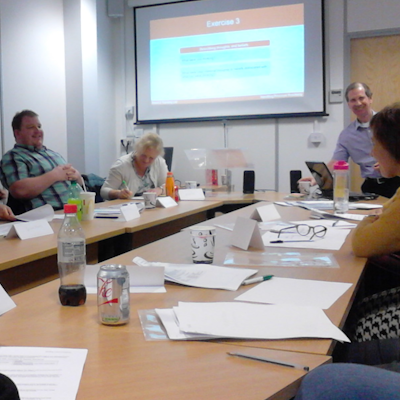
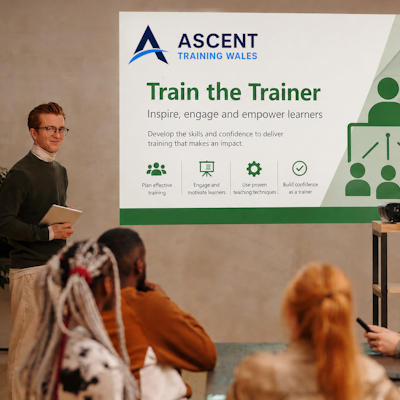
Our Bridgend venue is purpose-built for working learning — bright, modern, configurable for cohorts of four to twelve, with quality AV throughout and free parking right outside.


Llynfi Enterprise Centre · Bridgend · More about our venue →
Work smarter with Copilot.
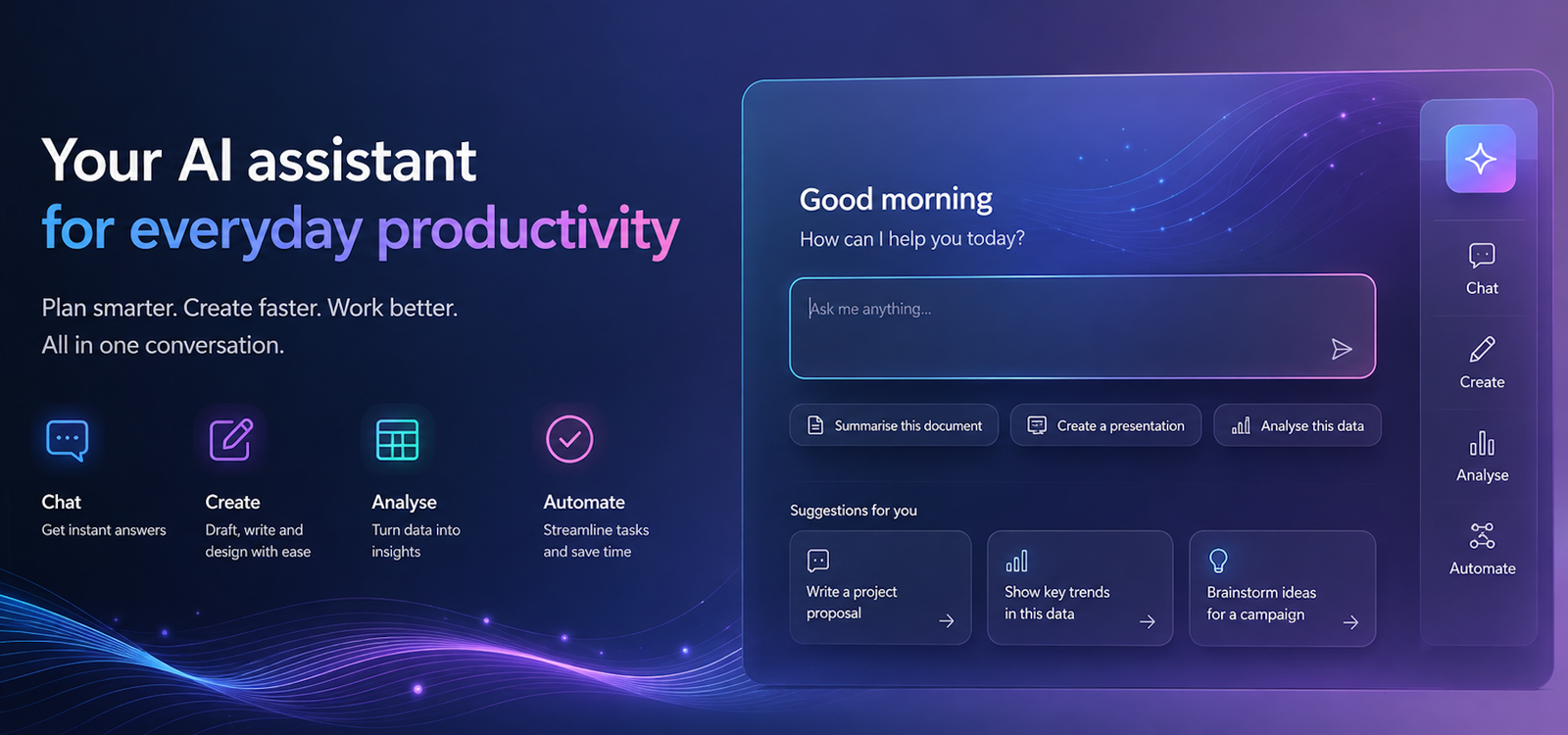
Microsoft Copilot is changing how people work with everyday Microsoft tools. This practical course in Cardiff helps you understand how Copilot can support tasks such as writing, research, summarising information, analysing content, creating ideas and improving productivity. Build the confidence to use AI effectively within your working day and get more from the tools you already use.
Understand Copilot
Learn what Microsoft Copilot is, how it can support different types of work and where it can add genuine value to your role and organisation.
Work more efficiently
Discover practical ways Copilot can help with everyday tasks, from drafting and rewriting content to summarising information and generating ideas.
Improve productivity
Explore how AI assistance can help you reduce repetitive work, organise information and spend more time on tasks that require your experience and judgement.
Use AI responsibly
Understand the importance of checking AI-generated content and consider privacy, accuracy, security and responsible use when working with Copilot.
Support Welsh workplaces
Develop practical AI skills that can help businesses and organisations across Cardiff and Wales improve productivity, support their teams and adapt confidently to the changing world of work.
More in Computing.
Courses that pair well with Microsoft Copilot, or that your team often takes as a sequence.

Ready when you are.
Book Microsoft Copilot for £275 a seat, or send us a brief and we'll come back with a tailored in-house quote for your team within two working days.