Course overview.
In the Autodesk Inventor course, you will dive into the basics of creating 3D models, assembling components, and understanding parametric relationships. You will gain hands-on experience in building and simulating mechanical designs, setting you on the path to becoming a proficient Autodesk Inventor user. This course is tailored to help you develop your skills and open up new possibilities for your career in engineering and design.
Who it's for.
The Autodesk Inventor course is designed for beginners, including engineers, CAD enthusiasts, and aspiring designers. If you are looking to enter the world of 3D mechanical design and gain the foundational skills needed to succeed, this course is your stepping stone to a promising career.
What you'll learn.
In the Autodesk Inventor course, you will cover essential topics such as 3D modelling, creating assemblies, and understanding parametric design principles. You will also get hands-on experience in building and simulating mechanical designs, giving you a strong foundation for future Autodesk Inventor projects. By the end of this course, you will be well-versed in the fundamentals of 3D mechanical design, ready to tackle more advanced projects in the future.
Autodesk Inventor Course overview.
Get started with Autodesk Inventor and develop a strong foundation in the principles of digital design and computer-aided design. This beginner-friendly course introduces you to the essential tools, interfaces and workflows used across Autodesk's professional design software, giving you the confidence to begin creating accurate and well-structured digital designs.
You'll learn the fundamentals step by step, from navigating the software and setting up a project to creating, editing and organising your work. The course focuses on practical skills and good working habits, helping you understand the core concepts behind Autodesk workflows while providing a solid foundation for progressing into more specialised software and advanced techniques.
Who it's for.
This course is designed for complete beginners who are new to Autodesk software, as well as anyone who wants to develop a stronger understanding of digital design workflows. It's suitable for students, aspiring designers, architects, engineers, CAD technicians and creative professionals looking to build practical skills with industry-standard design tools.
No previous Autodesk experience is required. The course starts with the fundamentals and gradually builds your confidence, making it an ideal starting point before moving on to more specialised Autodesk applications or intermediate-level training.
What you'll learn.
You'll learn how to navigate the Autodesk environment, set up projects and use the essential tools for creating and modifying digital designs. You'll also explore core concepts such as precision, object organisation, layers, documentation and efficient project workflows.
By the end of the course, you'll have a clear understanding of the fundamental Autodesk workflow and the confidence to begin working on your own projects. You'll also have a strong foundation that can be developed further through more advanced training and software-specific workflows.
Autodesk Inventor Intermediate Course overview.
Build on your existing Autodesk knowledge and develop the skills needed to work more confidently and efficiently with professional digital design tools. This intermediate course takes you beyond the fundamentals, introducing more advanced workflows, techniques and project management principles that can be applied to real-world design and technical projects.
You'll develop a deeper understanding of how Autodesk workflows can be used to create, edit and manage more detailed projects. Through practical exercises and structured workflows, you'll learn how to work more efficiently, maintain accuracy and organise your designs in a way that supports larger and more demanding projects.
Who it's for.
This course is designed for learners who already have a basic understanding of Autodesk software and want to take their skills further. It's suitable for CAD technicians, architects, engineers, designers, students and professionals who are comfortable with the fundamentals and want to develop a more efficient and professional approach to digital design.
A basic familiarity with Autodesk tools and workflows is recommended before starting the course. The training builds on those existing skills, allowing you to focus on more advanced techniques rather than starting from the beginning.
What you'll learn.
You'll explore more advanced Autodesk tools and workflows, learning how to create and manage more complex designs while maintaining accuracy and consistency. You'll also develop better techniques for organising projects, working with reusable design elements and producing clear, professional documentation.
By the end of the course, you'll have a stronger understanding of professional Autodesk workflows and greater confidence working independently on more demanding projects. You'll also have a solid foundation for progressing into advanced training and more specialised Autodesk applications.
Autodesk Inventor Advanced Course overview.
Take your Autodesk skills to an advanced level and develop the knowledge needed to manage complex digital design projects with greater confidence and efficiency. This advanced course builds on your existing experience and explores sophisticated tools, workflows and professional techniques for producing accurate, consistent and highly detailed work.
You'll learn how to approach larger and more demanding projects with a structured workflow, making better use of Autodesk's advanced capabilities while maintaining control over accuracy, organisation and documentation. The course focuses on practical techniques that can help you improve productivity and produce work to a professional standard.
Who it's for.
This course is aimed at experienced Autodesk users who are ready to move beyond intermediate workflows and develop a more advanced level of proficiency. It's ideal for experienced CAD technicians, architects, engineers, designers and other professionals who regularly work with complex digital design projects.
You should already be confident with the core tools and workflows covered at beginner and intermediate level. The course assumes a solid foundation and focuses on advanced techniques, project organisation, efficiency and professional best practices.
What you'll learn.
You'll explore advanced Autodesk tools and workflows for creating, managing and refining complex digital designs. You'll develop techniques for handling larger projects, improving precision and consistency, and making better use of reusable elements, documentation and project standards.
You'll also learn how to optimise your overall workflow, troubleshoot common challenges and approach complex projects in a more structured and efficient way. By the end of the course, you'll have the confidence and practical knowledge to work independently on advanced Autodesk projects and produce professional-quality results.
Book your place.
Fill in the form and we'll confirm your booking the same working day. Invoice on request — we accept PO numbers from public bodies and corporate accounts.
Reserve your seat.
Book the Minitab Training course. We'll confirm your seat by email the same working day. PO numbers and invoicing accepted.
Got it — your booking enquiry is in.
We'll confirm your seat by email within the same working day. You should also see a copy of your enquiry in your inbox. Need anything urgent? Email hello@ascenttrainingwales.co.uk or use the live chat.
This course is fully fundable through ReACT+.
If you've been made redundant or are facing redundancy in Wales, the Welsh Government's ReACT+ scheme can fund up to £1,500 toward this course — plus childcare, travel and accommodation expenses. We'll handle the application.
Benefits of Attending This Course
Develop practical Autodesk Inventor skills to create professional 3D models, improve engineering design workflows and confidently apply parametric modelling techniques in real-world design environments.
Ascent Training Wales · Bridgend.
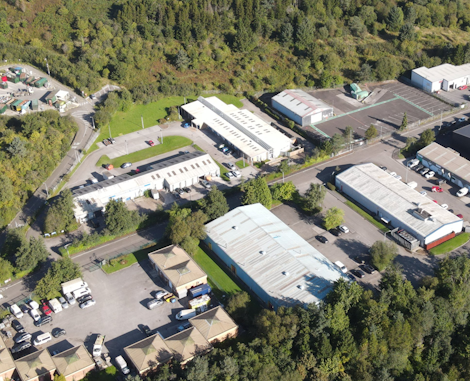
Our conference room is purpose-built for effective training — bright, modern, and fully equipped for workshops, seminars and accredited sessions.
Llynfi Enterprise CentreHeol Ty Gwyn Industrial Estate
Maesteg, Bridgend, CF34 0BQ
Develop Advanced 3D Design Skills
Master 3D Mechanical Modelling
Learn the core Autodesk Inventor tools and techniques used to create accurate, professional 3D designs.
Create Intelligent Designs
Understand parametric modelling, assemblies and design workflows that improve accuracy and efficiency.
Build Industry-Ready Skills
Gain practical experience with a leading CAD platform used by engineers, manufacturers and designers worldwide.
Common questions.
Quick answers to what most people ask before booking. Still need help? Get in touch.
How long is the course and where is it delivered?
How much does it cost and what's included?
When is the next date available?
Is this course eligible for ReACT+ funding?
Can you deliver this course in-house for our team?
From the classroom.
Our Bridgend venue is purpose-built for working learning — bright, modern, configurable for cohorts of four to twelve, with quality AV throughout and free parking right outside.




Llynfi Enterprise Centre · Bridgend · More about our venue →
More in Computing.
Courses that pair well with Autodesk Inventor Course, or that your team often takes as a sequence.



Ready when you are.
Book Autodesk Inventor Course for £275 a seat, or send us a brief and we'll come back with a tailored in-house quote for your team within two working days.