Course overview.
Across the five days, participants will work through each application in a structured and practical way, focusing on real-world business use. The course covers how to create professional documents in Word, build clear and engaging presentations in PowerPoint, manage emails and calendars effectively in Outlook, and analyse and present data using Excel. Emphasis is placed on practical tasks that reflect common workplace scenarios. The programme also highlights how the Office 365 suite integrates to improve workflow, communication and collaboration within organisations. By the end of the course, participants will be confident in using all four applications to a professional standard and will be able to apply their skills immediately in the workplace.
Who it's for.
This course is designed for professionals, office workers and business users who want to improve their confidence and efficiency using Microsoft Office 365. It is ideal for administrative staff, managers, team leaders and anyone who regularly works with documents, spreadsheets, presentations or email. The course is also suitable for individuals entering the workplace or returning to work who need to build strong digital office skills. No advanced technical knowledge is required, making it accessible to beginners while still offering value to experienced users looking to improve productivity and learn more advanced features.
What you'll learn.
Module 1: Word and Excel Foundations
This module introduces the core features of Microsoft Word and Excel, focusing on building essential document and data management skills. In Word, participants will learn how to create, format and structure professional documents using styles, layouts and formatting tools. In Excel, learners will cover spreadsheet basics including data entry, formatting, formulas and simple functions. The module also introduces basic data organisation techniques to support clear and efficient working practices. By the end of this module, participants will be confident in producing professional documents and managing structured data effectively.
Module 2: Excel Analysis and PowerPoint Communication
This module develops intermediate skills in Excel and introduces Microsoft PowerPoint. In Excel, participants will explore more advanced functions, basic data analysis techniques and simple chart creation to help interpret and present data clearly. In PowerPoint, learners will focus on creating professional presentations, including slide design, structure, visual layout and effective use of images and content. The module emphasises clear communication of information through both data and visual presentation tools. By the end of this module, participants will be able to analyse data in Excel and present it effectively in PowerPoint.
Module 3: Outlook, Integration and Workplace Productivity
This final module focuses on Microsoft Outlook and the integration of Office 365 applications. Participants will learn how to manage emails efficiently, organise calendars, schedule meetings and use productivity features to improve daily workflow. The module also demonstrates how Word, Excel, PowerPoint and Outlook work together within Office 365 to streamline communication and collaboration. The final stage brings all skills together through practical workplace scenarios, enabling participants to apply what they have learned across all applications to improve overall productivity and efficiency in a professional environment.
This course is fully fundable through ReACT+.
If you've been made redundant or are facing redundancy in Wales, the Welsh Government's ReACT+ scheme can fund up to £1,500 toward this course — plus childcare, travel and accommodation expenses. We'll handle the application.
Benefits of Attending This Course
Gain comprehensive Microsoft Office 365 skills to improve productivity, collaboration and digital efficiency. Learn how to use the Microsoft 365 suite confidently, streamline everyday tasks and work more effectively in today's connected workplace.
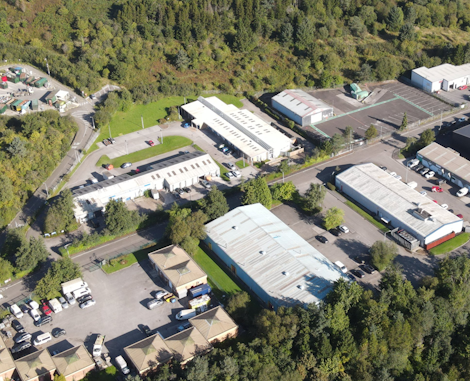
Ascent Training Wales · Bridgend.
Our conference room is purpose-built for effective training — bright, modern, and fully equipped for workshops, seminars and accredited sessions.
Llynfi Enterprise CentreHeol Ty Gwyn Industrial Estate
Maesteg, Bridgend, CF34 0BQ
What delegates said.
A selection of feedback from delegates who completed our five-day Microsoft Office 365 Masterclass.
I use Microsoft 365 every day, but I didn't realise how much time I was losing doing things manually. The masterclass completely changed the way I work with Word, Excel, Outlook and Teams. I've already streamlined several tasks and I'm working much more efficiently.
This was far more useful than a standard Office course. We looked at how the different Microsoft 365 applications work together, rather than treating them as separate programmes. The practical exercises were excellent and I came away with techniques I could put into practice straight away.
I was confident with the basics but wanted to get much more out of Microsoft 365. The five days gave me the time to explore features I'd never used before and understand how they could improve my everyday workflow. I left feeling more organised, more productive and much more confident using the full 365 environment.
Master Microsoft Office 365 for the Modern Workplace
Build Essential Office 365 Skills
Learn how to use Microsoft 365 applications effectively, including Word, Excel, PowerPoint, Outlook and Teams to boost productivity.
Collaborate More Efficiently
Discover how to share files, communicate seamlessly and collaborate in real time using Microsoft 365 cloud-based tools.
Work Smarter Every Day
Develop practical techniques to organise work, automate routine tasks and maximise efficiency across your daily workflow.
Common questions.
Quick answers to what most people ask before booking. Still need help? Get in touch.
How long is the course and where is it delivered?
How much does it cost and what's included?
When is the next date available?
Is this course eligible for ReACT+ funding?
Can you deliver this course in-house for our team?
From the classroom.
Our Bridgend venue is purpose-built for working learning — bright, modern, configurable for cohorts of four to twelve, with quality AV throughout and free parking right outside.

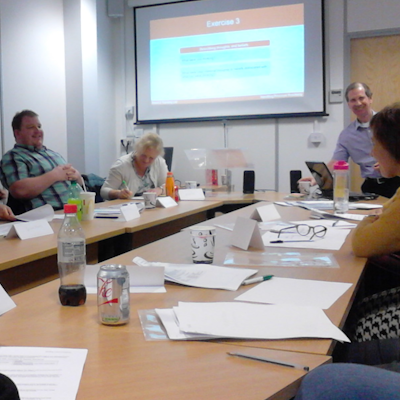
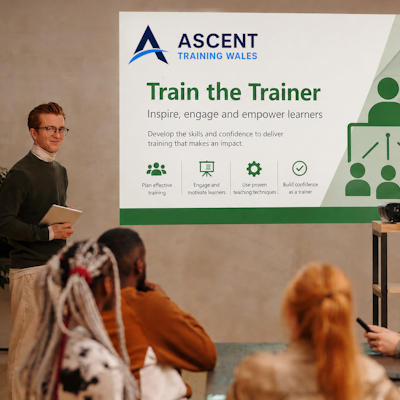

Llynfi Enterprise Centre · Bridgend · More about our venue →
More in ReACT+ Funded.
Courses that pair well with Microsoft Office 365 Masterclass, or that your team often takes as a sequence.



Ready when you are.
Book Microsoft Office 365 Masterclass for £1500 a seat, or send us a brief and we'll come back with a tailored in-house quote for your team within two working days.