Course overview.
Hands-on throughout, working from real workplace scenarios: building a rules-and-folders system that survives a thousand-message week, mastering Search to find anything in seconds, calendar techniques that protect deep work, and the lesser-known features (Quick Steps, conditional formatting, board view) that the productivity power users rely on.
Who it's for.
Anyone who spends meaningful time in Outlook daily — knowledge workers, administrators, executive assistants, sales and account managers, project managers. Particularly useful for people who feel their inbox manages them more than they manage it.
What you'll learn.
Inbox architecture that actually works
Folders, rules, search folders, categories, Quick Steps and conditional formatting — the layering that turns a chaotic inbox into a triaged one. We build a working system together based on the inbox-zero and 4D (do, delegate, defer, delete) methodologies.
Calendar mastery and meeting hygiene
The calendar features that protect your time: colour-coded categories, scheduling assistant tricks, board view for resource planning, room mailbox booking and the meeting-invite habits that get your time respected by colleagues.
Search, attachments and the power features
Outlook's Search is far more capable than most users realise. We cover advanced search syntax, attachment management, large-file alternatives, integration with OneDrive and SharePoint, and the keyboard shortcuts that compound into hours saved per week.
Course overview.
Develop practical skills in Microsoft Outlook and learn how to manage email, calendars, contacts, tasks and everyday communication more effectively. Across one day, you'll explore the key tools and functions within Outlook, learning how to organise your inbox, create and manage appointments, schedule meetings and use Outlook to improve productivity. The course focuses on practical workplace techniques that help you communicate efficiently and stay organised.
Who it's for.
This course is designed for business users, administrators, managers, office staff and professionals who use Microsoft Outlook as part of their daily work. It is suitable for users who want to improve their existing Outlook skills or develop greater confidence with the application's productivity and organisation features. Basic computer skills are helpful, but no previous Outlook training is required.
What you'll learn.
You'll learn how to use the main tools and functions within Microsoft Outlook, including email, folders, rules, categories, flags, search, calendars, meetings, appointments, contacts, tasks and reminders. The course also covers managing attachments, organising and prioritising messages, creating email signatures, using automatic replies, scheduling meetings, sharing calendar information and managing day-to-day communications. You'll explore practical techniques for keeping your inbox organised, managing your workload and using Outlook more efficiently in a professional environment.
This course is fully fundable through ReACT+.
If you've been made redundant or are facing redundancy in Wales, the Welsh Government's ReACT+ scheme can fund up to £1,500 toward this course — plus childcare, travel and accommodation expenses. We'll handle the application.
Benefits of Attending This Course
Develop practical Microsoft Outlook skills to manage emails, calendars, contacts and tasks more efficiently. Learn how to improve organisation, increase productivity and communicate effectively using one of the world's leading business communication platforms.
Ascent Training Wales · Bridgend.
Our conference room is purpose-built for effective training — bright, modern, and fully equipped for workshops, seminars and accredited sessions.
Llynfi Enterprise CentreHeol Ty Gwyn Industrial Estate
Maesteg, Bridgend, CF34 0BQ

Master Microsoft Outlook for Greater Productivity
Manage Email Efficiently
Learn how to organise your inbox, manage messages and use Outlook features to improve communication and productivity.
Improve Time Management
Develop practical skills for using calendars, scheduling meetings, managing tasks and coordinating your daily workload.
Collaborate More Effectively
Discover how Outlook integrates with Microsoft 365 to streamline communication, enhance teamwork and support hybrid working.
Common questions.
Quick answers to what most people ask before booking. Still need help? Get in touch.
How long is the course and where is it delivered?
How much does it cost and what's included?
When is the next date available?
Is this course eligible for ReACT+ funding?
Can you deliver this course in-house for our team?
From the classroom.
Our Bridgend venue is purpose-built for working learning — bright, modern, configurable for cohorts of four to twelve, with quality AV throughout and free parking right outside.

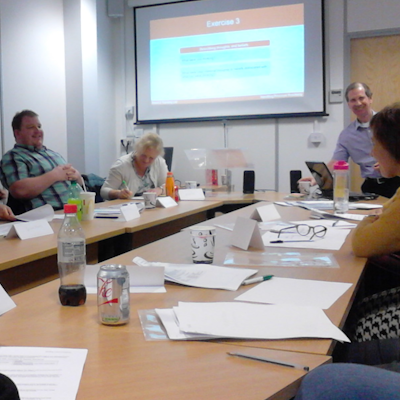


Llynfi Enterprise Centre · Bridgend · More about our venue →
More in Computing.
Courses that pair well with Microsoft Outlook, or that your team often takes as a sequence.


Ready when you are.
Book Microsoft Outlook for £275 a seat, or send us a brief and we'll come back with a tailored in-house quote for your team within two working days.