Course overview.
We work primarily on Windows Server 2022 with the Active Directory, Group Policy, networking, storage, and PowerShell management practices that distinguish well-run server estates from chaotic ones. Hands-on throughout in a sandboxed lab — by the end you'll have built, configured and troubleshot a working multi-server environment.
Who it's for.
IT administrators, infrastructure engineers and technical helpdesk staff with responsibilities for Windows Server estates. Particularly useful for those new to a Windows admin role, or admins from older Windows Server versions catching up with the 2019/2022 capabilities and management surface.
What you'll learn.
Day one — Active Directory and Group Policy
AD DS installation, forest and domain design, OUs, users, groups, and the Group Policy model that drives most operational policy enforcement. The administrative spine of any Windows estate, with the hands-on practice that builds real working confidence.
Day two — Networking, storage and shares
DHCP, DNS, file and print services, Storage Spaces, deduplication, DFS and the SMB/NFS sharing models. The infrastructure services that every Windows admin owns and that every user notices when they break.
Day three — PowerShell, security and hybrid
PowerShell for administrators — the commands, scripts and automation patterns that distinguish productive admins. Plus the security baselines, patching discipline and Entra ID hybrid integration that connect on-premises Windows to the modern cloud estate.
Course overview.
Develop practical skills in Windows Server 2022 and learn how to install, configure, manage and maintain a Windows Server environment. Across two days, you'll explore the core administration features of Windows Server, including server roles, user management, networking, security and storage. The course focuses on practical workplace administration, helping you understand how Windows Server can be deployed and managed to provide reliable services across an organisation.
Who it's for.
This course is designed for IT professionals, system administrators, network administrators, technical support staff and professionals who are responsible for managing or supporting Windows Server environments. It is suitable for those developing their server administration skills as well as existing IT users who want to strengthen their knowledge of Windows Server 2022. Basic networking and Windows administration knowledge is helpful.
What you'll learn.
You'll learn how to work with the key tools and functions within Windows Server 2022, including Server Manager, Active Directory Domain Services, DNS, DHCP, Group Policy, Windows Admin Center, file and storage services, user and group management and server security. The course covers installing and configuring server roles, creating and managing users and groups, applying Group Policy, managing permissions, configuring network services and securing server resources. You'll also explore PowerShell, Windows Server Backup, remote administration and system monitoring, providing a practical foundation for managing Windows Server environments effectively.
This course is fully fundable through ReACT+.
If you've been made redundant or are facing redundancy in Wales, the Welsh Government's ReACT+ scheme can fund up to £1,500 toward this course — plus childcare, travel and accommodation expenses. We'll handle the application.
Benefits of Attending This Course
Develop practical Microsoft Windows Server administration skills to manage secure, reliable and high-performing IT infrastructure. Learn how to configure server roles, administer Active Directory, strengthen security and support enterprise business operations with confidence.
Ascent Training Wales · Bridgend.
Our conference room is purpose-built for effective training — bright, modern, and fully equipped for workshops, seminars and accredited sessions.
Llynfi Enterprise CentreHeol Ty Gwyn Industrial Estate
Maesteg, Bridgend, CF34 0BQ

Master Microsoft Windows Server Administration
Build Windows Server Administration Skills
Learn how to install, configure and manage Microsoft Windows Server environments to support reliable business operations.
Strengthen Security and Infrastructure
Develop practical knowledge of user management, Active Directory, networking, storage and server security best practices.
Support Enterprise IT Services
Gain the confidence to maintain server performance, troubleshoot common issues and manage scalable Windows Server environments.
Common questions.
Quick answers to what most people ask before booking. Still need help? Get in touch.
How long is the course and where is it delivered?
How much does it cost and what's included?
When is the next date available?
Is this course eligible for ReACT+ funding?
Can you deliver this course in-house for our team?
From the classroom.
Our Bridgend venue is purpose-built for working learning — bright, modern, configurable for cohorts of four to twelve, with quality AV throughout and free parking right outside.


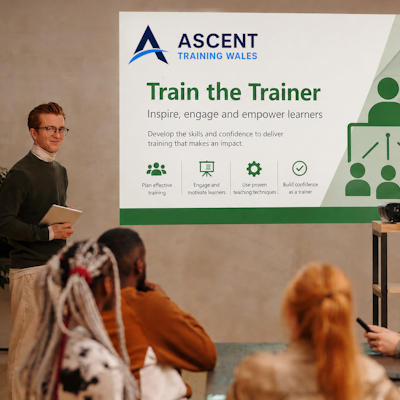

Llynfi Enterprise Centre · Bridgend · More about our venue →
More in Computing.
Courses that pair well with Microsoft Windows Server, or that your team often takes as a sequence.



Ready when you are.
Book Microsoft Windows Server for £695 a seat, or send us a brief and we'll come back with a tailored in-house quote for your team within two working days.